Changing a policy that is already published
Start a new version, decide whether everyone must read it again, and see what changed.
A published version never changes. When something needs to change, you start a new version, which begins as a complete copy.
Who can do this: Managers and administrators.
Start a new version #
- Open the policy and press Edit this policy. That is all: it starts the new version and opens it for editing.
You should see: "A new draft has been started from the current version. The published one stays in force until you publish this."
The draft is a copy of everything: the sections (each keeping its permanent link), the text, the pictures, the appendices (all marked Needs checking) and the questions. The version people are reading is untouched until you publish.
- Only one draft can exist at a time for a policy. If one is already in progress, the button changes to Continue editing the draft and takes you to it.
- The audience belongs to the policy and is not copied or changed.
What needs a new version, and what does not #
The wording of a published policy is locked, which is why Edit this policy starts a new version for you. Some things you can still change straight away on the published policy, without a new version; the rest need one.
| You can change at any time | Needs a new version |
|---|---|
|
|
Make the changes #
Edit parts, add or move sections, change appendices, edit questions, exactly as for a new policy. While you work, the outline shows New and Changed against the version in force, and a line says how many: "Compared with version 1.0: 0 new, 1 changed, 0 removed."
Decide whether everyone must read it again #
In This version there is a tick box: Everyone must read this version again. This is the most important choice you make.
| Tick box | Use it for | The new version is | What happens to readers |
|---|---|---|---|
| Ticked (the default) | Anything that changes what people should do: new rules, changed steps, a new form | A major version: 1.0 becomes 2.0 | Everyone it applies to sees "To read" again and must confirm again. |
| Unticked | A correction that changes nothing about what people do: a typo, a changed phone number, a better sentence | A minor version: 1.0 becomes 1.1 | People who read the last version are counted as having read this one. The record says "carried forward from version 1.0". |
The box shows the number the version will get, for example "this becomes a new major version (2.0)".
Say what changed #
Fill in What changed in this version in This version, then press Save this version's details. It is shown to staff at the top of the policy and kept in the history. One sentence is enough: "Added a step for checking the medication record before each shift."
Publish it #
Check the appendices, preview, and publish as in Publishing a policy.
What readers see #
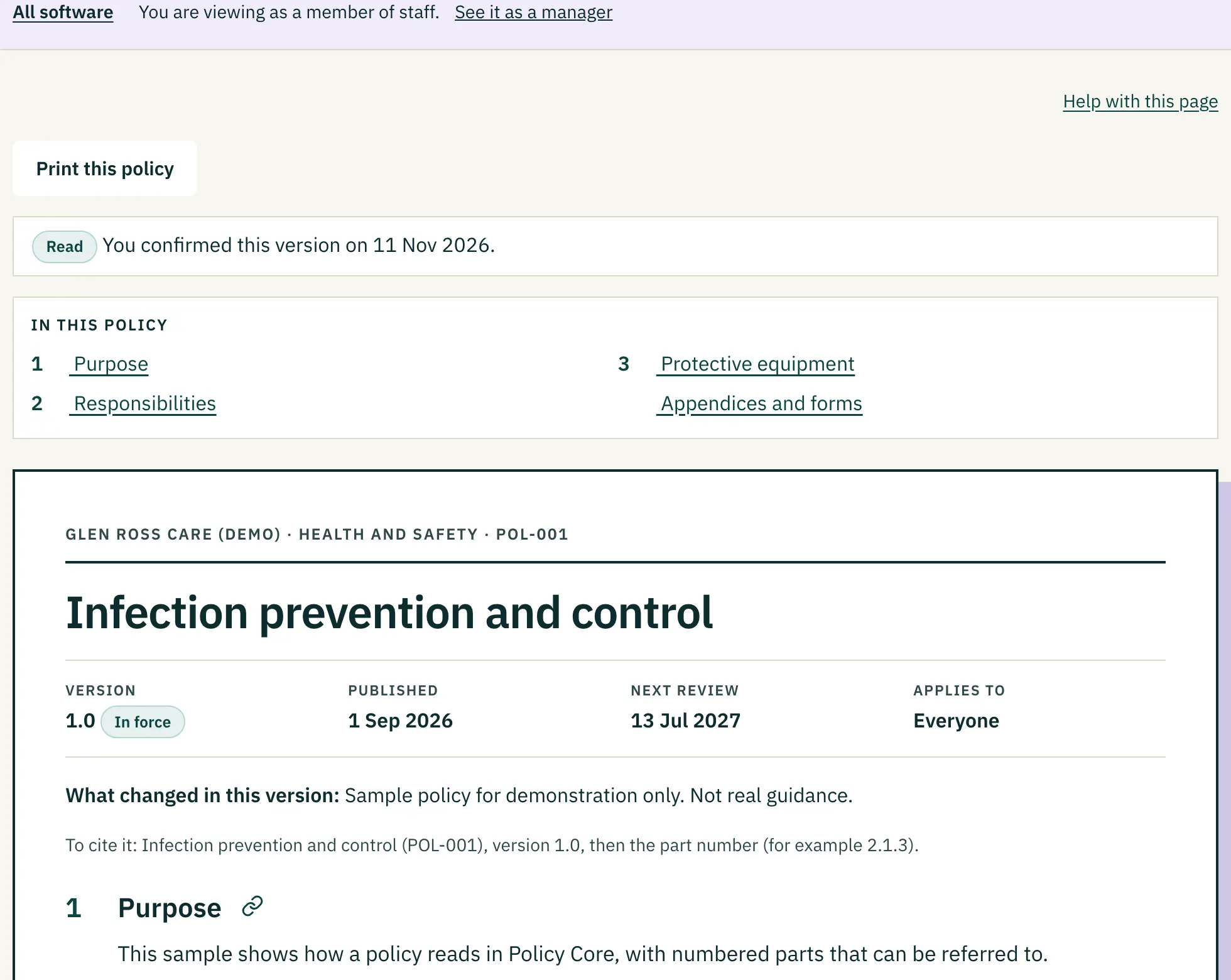 (opens a larger view)
- The page says "What changed since version 1.0: 0 new, 1 changed, 0 removed", lists any removed parts, and marks each new or changed part.
- The version number and the "What changed" note appear under the title.
Look at an old version #
On the edit page, History lists every version with its label, state, who published it and when. Press a label to open that version exactly as it was. Old versions are read-only.
Abandon a draft? #
There is no button to discard a draft of a policy that has been published, because it does no harm: nobody sees it. Leave it, or edit it into the next change. A policy that has never been published can be deleted. See Archiving, restoring and deleting.
Version numbers in summary #
An example history
1.0   first published version
1.1   a correction, nobody needs to read it again
1.2   another correction
2.0   a change everyone must read again
2.1   a correction to 2.0
Is something wrong, unclear or missing on this page? Tell us what is wrong or missing on this page. We read every message and fix what we get wrong.