Features
Everything a policy needs, from first draft to the record that proves it was read.
Every feature here is in the product today. The documentation explains each one step by step.
Writing policies
- Numbered parts
- Sections, subsections, paragraphs and items, numbered by their place, with a permanent link to each part that survives reorganising. Building sections
- A proper editor
- Bold, italic, bulleted and numbered lists, links and pictures, with a keyboard-friendly toolbar. Pasting from Word keeps lists and bold and drops everything else. Writing a part
- A fast start
- Begin with a common set of headings (headings only, no wording), or from a copy of one of your own policies.
- Appendices, forms and templates
- Write them in the system so they are read, searched and printed with the policy, or upload the Word, Excel or PDF file you already have. A new version cannot be published until every one is confirmed as still current. Appendices and forms
- Requirement tags
- Tag a part with the requirement or standard it relates to, then see on one page where each is dealt with. Tracing a requirement
- A readiness check
- A draft lists what is missing before you publish, and says what publishing will do: the version number, who it reaches, and whether people must read it again.
Versions and review
- Versions that never change
- Once published, a version is fixed. A new version marks which parts are new, changed or removed, and shows what a changed part said before.
- You decide who reads again
- A change everyone must read again becomes 2.0. A small correction becomes 1.1 and earlier readings carry forward, with the record saying so. Changing a published policy
- Review dates
- Each policy has a review date and an owner, and managers see what is due. Reviews
- Archive and restore
- Take a policy out of use without losing the reading records.
Reading and evidence
- Who has to read what
- Everyone, teams, job titles or named people, with a count and names shown before you publish. How audiences work
- Confirming a reading
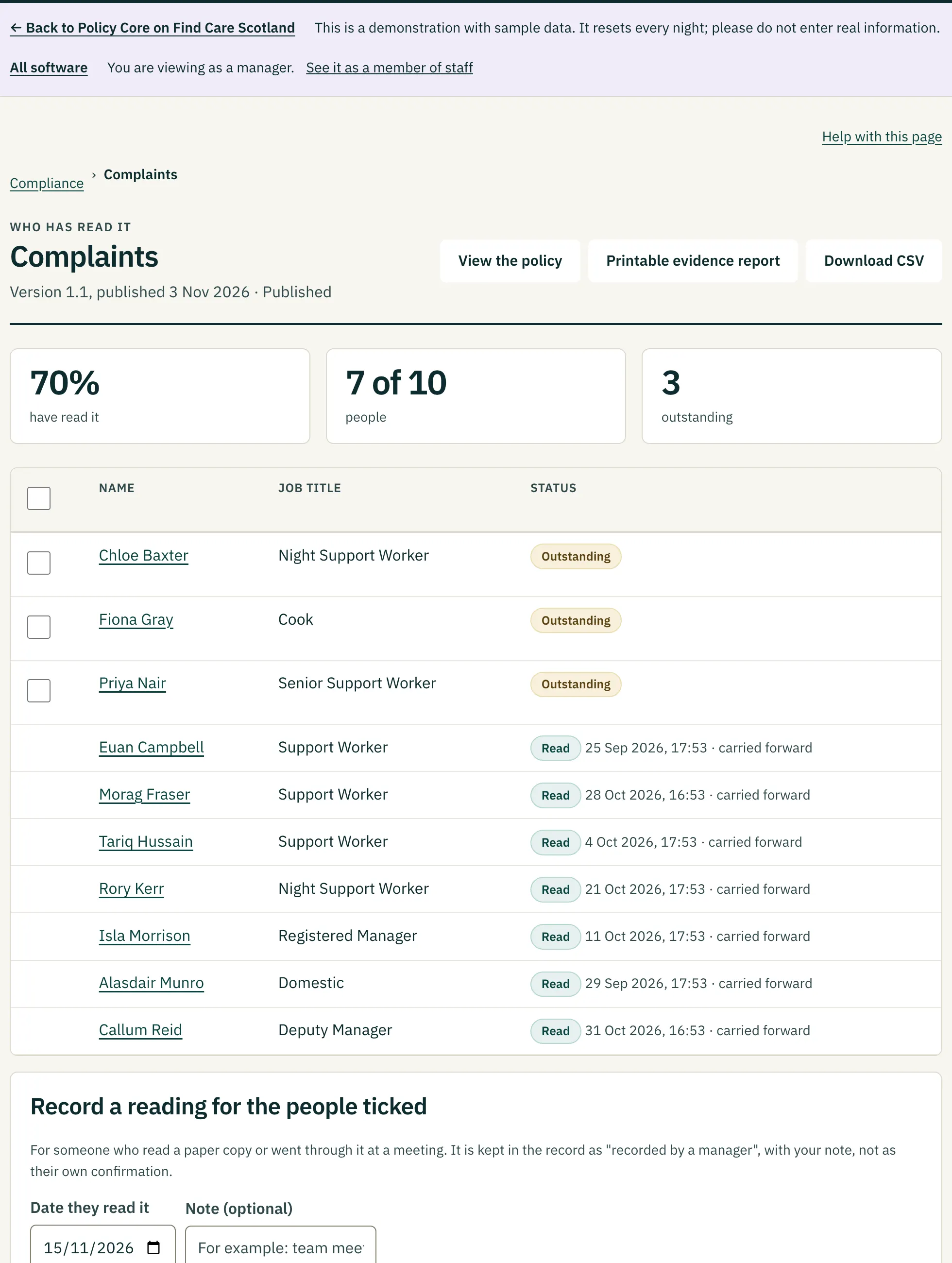
- Staff confirm the version in force. A manager can record a reading made on paper, and the record says so.
- Questions
- Optional multiple-choice questions with a pass mark. A wrong answer keeps the others and shows the writer's hint. Managers see which questions people miss most.
- Reminders you choose to send
- A manager sends them, never a schedule, and nobody is emailed about the same policy more than once in seven days.
- Printable evidence
- A dated reading record for a policy or a person, and a spreadsheet download. Printed policies show the version and a warning that a paper copy is not updated. Reports and evidence
- Search
- Find words inside any part, appendix or form, with the part number and the words highlighted.
 (opens a larger view)
Sharing policy content with other systems
- JSON for any system
- Give a learning system, a job-description tool, payroll, finance or an intranet a key, and it can read your published policies, part by numbered part. How sharing works
- Quote one part
- Fetch a single part by its permanent identifier, with a ready citation such as “Infection prevention and control (POL-001), version 1.0, part 2.2.1”.
- Know a copy is correct
- Every policy carries a content hash that changes when anything in force changes. A system holding a copy asks whether it is still current, and finds out at once if a part was changed or removed.
- xAPI for learning systems
- Each policy is available as an xAPI activity, and reading confirmations as xAPI statements that a learning record store fetches. Nothing is pushed anywhere, and drafts are never shared.
People and access
- Three roles
- Staff, managers and administrators, each seeing only what they need. Roles and permissions
- Care Core
- Joiners, job titles, teams and leavers arrive automatically. Leavers lose access at once and their past readings stay. Works with Care Core
- Or keep the list here
- Add people one at a time or import a list.
- Sign in by link or password
- A one-time emailed link or a password, with sessions that warn before they end.
Made to be usable
- Accessibility
- Built and automatically tested against WCAG 2.2 AA and beyond: keyboard use, 320-pixel reflow, high contrast and forced-colours modes, large touch targets. It has not yet been tested with real screen readers or independently audited, and says so. Accessibility statement
- Help built in
- Step-by-step pages with pictures of the real screens, a glossary, and a “Help with this page” link on every screen. Open to read without signing in.
- Printing
- A4 with page numbers, the version, and the time printed. Saved as PDF from Chrome or Edge, it is tagged for screen readers and bookmarked.
See whether it fits how you work.
Open the demonstration, or tell us about your policies and we will show you.